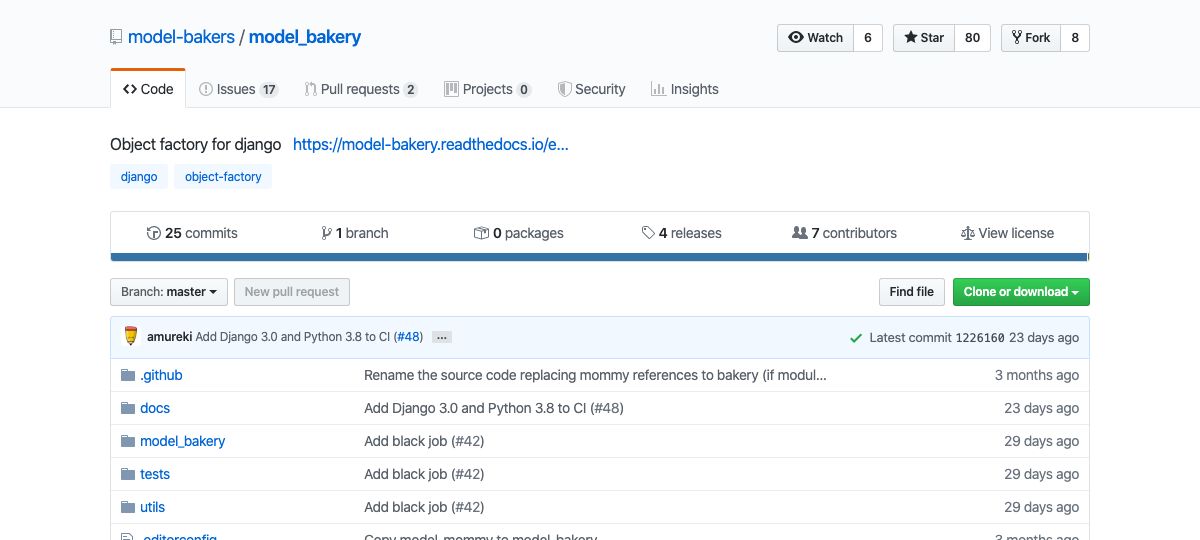
mliezun/caddy-snake: Caddy plugin to serve Python apps
Title: GitHub - mliezun/caddy-snake: Caddy plugin to serve Python apps
URL Source: https://github.com/mliezun/caddy-snake
Caddy is a powerful, enterprise-ready, open source web server with automatic HTTPS written in Go.
Caddy Snake is a Caddy plugin that lets you run Python web apps directly inside Caddy — no reverse proxy needed.
It embeds Python via the C API, so your WSGI or ASGI application runs in the same process as Caddy. This means less overhead, simpler deployments, and automatic HTTPS out of the box.
To make it easier to get started you can also grab one of the precompiled binaries that come with Caddy and Python, or one of the Docker images.
Works with Flask, Django, FastAPI, and any other WSGI/ASGI framework.
Features
* WSGI, ASGI & ESGI — serve WSGI and ASGI frameworks, plus ESGI apps (blocking application(scope, protocol) per connection)
* Multi-worker — process-based (default) or thread-based workers for concurrent request handling
* Shared worker cache — optional key/value store in the Caddy (Go) process so Python process workers can share state via a small RESP client; on Linux/macOS the transport is a Unix domain socket (unix://… in CADDYSNAKE_CACHE_ADDR), on Windows it uses loopback TCP
* Auto-reload — watches .py files and hot-reloads your app on changes during development
* Dynamic module loading — use Caddy placeholders to load different apps per subdomain or route
* On-demand TLS permission (tls.permission.python_dir) — gate HTTPS issuance with filesystem checks so wildcard-style hosts work without running a separate ACME ask service (pairs with dynamic working_dir)
* Virtual environment support — point to a venv and dependencies are available automatically
* WebSocket support — full WebSocket handling for ASGI apps
* ASGI lifespan events — optional startup/shutdown lifecycle hooks
* Static file serving — built-in static file support via the CLI
* Pre-built binaries — download and run with Python embedded, no compilation required
* Standalone app binaries — package your app + Caddy + Python into a single executable (like FrankenPHP)
* Docker images — ready-to-use images for Python 3.12 through 3.14
* Cross-platform — Linux, macOS, and Windows
Quick start
Option 1: Download a pre-built binary
The easiest way to get started on Linux is to download a pre-compiled Caddy binary from the latest release. It comes with Python embedded — no system Python required.
Start a WSGI server
./caddy python-server --server-type wsgi --app main:app
Start an ESGI server
./caddy python-server --server-type esgi --app main:application
This starts a server on port 9080 serving your app. See ./caddy python-server --help for all options:
--server-type wsgi|asgi|esgi   Required. Type of Python app
--app <module:var>        Required. Python module and app variable (e.g. main:app)
--domain <example.com>    Enable HTTPS with automatic certificates
--listen <addr>           Custom listen address (default: :9080)
--workers <count>         Number of worker processes (default: CPU count)
--python-path <path>      Path to Python executable (default: embedded Python)
--working-dir <path>      Working directory for the Python app
--venv <path>             Path to virtual environment
--static-path <path>      Serve a static files directory
--static-route <route>    Route prefix for static files (default: /static)
--debug                   Enable debug logging
--access-logs             Enable access logs
--lifespan on|off         Enable ASGI lifespan events (default: off)
--runtime <name>           WSGI: sync|gevent; ESGI: gevent only; ASGI: native|uvloop (see docs)
--autoreload              Watch .py files and reload on changes
Option 2: Build from source
CGO_ENABLED=1 xcaddy build --with github.com/mliezun/caddy-snake
Requirements
* Python >= 3.12 + dev files * C compiler and build tools * Go >= 1.26 and xcaddy
Install on Ubuntu 24.04:
sudo apt-get install python3-dev build-essential pkg-config golang go install github.com/caddyserver/xcaddy/cmd/xcaddy@latest
Option 3: Use a Docker image
Docker images are available with Python 3.12, 3.13, and 3.14:
FROM mliezun/caddy-snake:latest-py3.13
WORKDIR /app COPY . /app
CMD ["caddy", "run", "--config", "/app/Caddyfile"]
Images are published to both registries:
Option 4: Package your app as a standalone binary
Package your Python app, Caddy, and Python into a single executable:
Create app zip (Lambda-style: app + deps at root)
cd myapp && pip install -r requirements.txt -t package && cd package && zip -r ../app.zip . && cd .. zip -g app.zip main.py
Build standalone binary
cd caddy-snake/cmd/embed-app ./build.sh /path/to/myapp/app.zip 3.13 --output myapp
./myapp # Serves on :9080
See Apps as Standalone Binaries for the full guide.
Usage examples
ESGI (experimental)
Caddy Snake can serve ESGI applications — synchronous gateway apps with one invocation per HTTP or WebSocket connection and blocking I/O on a protocol object (see the protocol draft). module_esgi uses gevent only (no asyncio in the ESGI worker). For module_wsgi / module_asgi, see the runtime row in the table below (native / uvloop apply only to ASGI).
main.py (sketch)
def application(scope, protocol): if scope["proto"] == "http": body = protocol.read_body() protocol.response_bytes(200, [("Content-Type", "text/plain")], b"ok") elif scope["proto"] == "ws": ws = protocol.accept() ... protocol.close()
Caddyfile
http://localhost:9080 { route { python { module_esgi "main:application" runtime gevent } } }
See the ESGI integration doc for the roadmap, runtime semantics, and how this relates to WSGI/ASGI.
Flask (WSGI)
from flask import Flask
app = Flask( name )
@app.route("/hello-world") def hello(): return "Hello world!"
Caddyfile
http://localhost:9080 { route { python { module_wsgi "main:app" } } }
pip install Flask ./caddy run --config Caddyfile
curl http://localhost:9080/hello-world
Hello world!
FastAPI (ASGI)
from fastapi import FastAPI
app = FastAPI()
@app.get("/hello-world") def hello(): return "Hello world!"
Caddyfile
http://localhost:9080 { route { python { module_asgi "main:app" lifespan on } } }
pip install fastapi ./caddy run --config Caddyfile
curl http://localhost:9080/hello-world
Hello world!
Caddyfile reference
The python directive supports the following subdirectives:
python { module_wsgi "module:variable" # WSGI app (e.g. "main:app") module_asgi "module:variable" # ASGI app (e.g. "main:app") module_esgi "module:variable" # ESGI app (gevent worker; requires gevent installed) runtime sync|gevent|native|uvloop # See table; ESGI allows gevent only venv "/path/to/venv" # Virtual environment path working_dir "/path/to/app" # Working directory for module resolution workers 4 # Number of worker processes (default: CPU count) lifespan on|off # ASGI lifespan events (default: off) autoreload # Watch .py files and reload on changes }
You must specify exactly one of module_wsgi, module_asgi, or module_esgi.
module_wsgi
The Python module and WSGI application variable to import, in "module:variable" format.
module_asgi
The Python module and ASGI application variable to import, in "module:variable" format.
module_esgi
The Python module and ESGI application callable to import (def application(scope, protocol): ... or __esgi__), in "module:variable" format. See ESGI.
runtime
Selects how the Python worker schedules work at the gateway boundary:
| Interface | Allowed values | Default (when omitted) |
| --- | --- | --- |
| module_wsgi | sync, gevent | sync |
| module_esgi | gevent only | gevent |
| module_asgi | native, uvloop | uvloop |
native uses the standard asyncio loop. uvloop selects the uvloop event loop when the package is installed (with a warning and fallback to native asyncio if it is not). For WSGI, gevent is still the thread-pool compatibility mode unless/until a dedicated gevent stack is added. ESGI always runs the geventStreamServer stack on plain sockets (install gevent in your app environment).
ESGI: application code is synchronous (def + blocking protocol methods). The ESGI Python subprocess does not use asyncio for the Go-facing socket; it uses gevent only.
venv
Path to a Python virtual environment. Behind the scenes, this appends venv/lib/python3.x/site-packages to sys.path so installed packages are available to your app.
Note: The venv packages are added to the global
sys.path, which means all Python apps served by Caddy share the same packages.
working_dir
Sets the working directory for Python module resolution and relative paths. This is important when deploying with systemd (which defaults to /) or in monorepo/container setups where your app lives in a subdirectory.
python { module_wsgi "main:app" venv "/var/www/myapp/venv" working_dir "/var/www/myapp" }
workers
Number of worker processes to spawn. Defaults to the number of CPUs (GOMAXPROCS).
When you use process workers (more than one worker, or the default multi-worker layout), Caddy Snake may start an in-process shared cache in the Go plugin and pass connection details to each worker via environment variables (see Shared worker cache).
lifespan
Enables ASGI lifespan events (startup and shutdown). Only applies to ASGI apps. Defaults to off.
autoreload
Watches the working directory for .py file changes and automatically reloads the Python app. Useful during development.
Changes are debounced (500ms) to handle rapid edits.
python { module_wsgi "main:app" autoreload }
Shared worker cache
Process-based workers run in separate Python interpreters, so they do not share sys.modules or in-memory globals. For lightweight cross-worker state (queues, small shared counters, etc.), Caddy Snake can expose a key/value cache that lives in the Caddy plugin process and is reached over a stream socket using a small RESP2-like protocol.
- Linux and macOS: the plugin listens on a Unix domain socket under a private temporary directory and sets
CADDYSNAKE_CACHE_ADDRto aunix:///absolute/path/to/cache.sockURL. Traffic stays on the filesystem socket, not the generic TCP/IP stack. - Windows: workers use loopback TCP;
CADDYSNAKE_CACHE_ADDRis like127.0.0.1:<ephemeral-port>.
Caddy also sets CADDYSNAKE_WORKER_INTERFACE (wsgi, asgi, esgi, …) and CADDYSNAKE_CACHE_TIMEOUT (read/connect hint in seconds) for the Python client.
From app code (with the caddysnake PyPI package / CLI wheel installed in your venv), use the façade described in the configuration reference:
from caddysnake import cache
cache.set("visits", b"1") cache.append("log", b"line\n")
Thread workers and single-worker setups do not need this path. See the docs for semantics, limits, and when to prefer Redis or another external store.
Dynamic module loading
You can use Caddy placeholders in module_wsgi, module_asgi, working_dir, and venv to dynamically load different Python apps based on the request.
This is useful for multi-tenant setups where each subdomain or route serves a different application:
.example.com:9080 { route / { python { module_asgi "{http.request.host.labels.2}:app" working_dir "{http.request.host.labels.2}/" } } }
In this example, a request to app1.example.com loads the app from the app1/ directory, app2.example.com loads from app2/, and so on. Apps are lazily created on first request and cached for subsequent requests.
On-demand TLS without ask
Caddy on-demand TLS issues certificates for hostnames as clients connect. That flow normally requires an ask HTTP endpoint — unless you plug in a tls.permission.* module.
Caddy Snake ships tls.permission.python_dir, which allows issuance only when the hostname matches {slug}.{domain_suffix} (exactly one label before the suffix) and {root}/{slug} exists as a directory — the same layout you use for dynamic Python apps.
Minimal pattern (wildcard HTTPS site + dynamic working_dir; adjust domain_suffix and placeholder index to match your host shape):
{ email [email protected]
on_demand_tls { permission python_dir { root /srv/apps domain_suffix project.example } } }
https://*.project.example { tls { on_demand }
route /* { python { module_asgi "{http.request.host.labels.2}:app" working_dir "/srv/apps/{http.request.host.labels.2}/" } } }
Use a working mailbox on a registrable domain for email (Let's Encrypt rejects contacts at example.com and similar). For nip.io-style hosts and WSGI-only setups, see the configuration reference and examples.
For nip.io names like app7.203.0.113.43.nip.io, the slug sits at {http.request.host.labels.6} (seven labels total).
Hot reloading
There are two approaches for hot reloading during development:
Built-in autoreload (recommended)
Add the autoreload directive to your Caddyfile. This watches for .py file changes and reloads the app in-place without restarting Caddy:
python { module_wsgi "main:app" autoreload }
Using watchmedo (alternative)
You can also use watchmedo to restart Caddy on file changes:
Install on Debian/Ubuntu
sudo apt-get install python3-watchdog
watchmedo auto-restart -d . -p "*.py" --recursive \ -- caddy run --config Caddyfile
Note that this restarts the entire Caddy process on changes.
Build with Docker
There's a template file in the project: builder.Dockerfile. It supports build arguments to configure which Python or Go version to use.
Build the Docker image
docker build -f builder.Dockerfile --build-arg PY_VERSION=3.13 -t caddy-snake-builder .
Extract the caddy binary to your current directory
docker run --rm -v $(pwd):/output caddy-snake-builder
Make sure to match the Python version with your target environment.
Benchmarks
Caddy Snake compares favorably to separate reverse-proxy stacks for Flask (WSGI), FastAPI (ASGI), and ESGI (gevent) on the JSON /hello workload below. Figures are the averages committed in benchmarks/results.json from a Scaleway POP2-2C-8G (linux/amd64) run; use benchmarks/scaleway_bench.sh or local Docker to reproduce on other hardware.

| Configuration | Requests/sec | Avg Latency (ms) | P99 Latency (ms) | | --- | --- | --- | --- | | Flask + Gunicorn + Caddy | 1,759 | 56.68 | 72.67 | | Flask + Caddy Snake | 2,905 | 34.40 | 53.24 | | FastAPI + Uvicorn + Caddy | 3,382 | 29.54 | 233.59 | | FastAPI + Caddy Snake | 4,854 | 20.57 | 38.98 | | ESGI (gevent) + Caddy reverse proxy | 5,011 | 19.92 | 50.45 | | ESGI + Caddy Snake | 5,146 | 19.42 | 45.04 |
Benchmarked with hey on Scaleway POP2-2C-8G (linux/amd64): 100 concurrent connections, 10 s per run, 10 runs averaged, Python 3.13, Go 1.26 (see
benchmarks/scaleway_bench.sh). Throughput varies by machine.
Platform support
| Platform | Workers runtime | Notes | | --- | --- | --- | | Linux (x86_64) | process, thread | Primary platform, full support | | Linux (arm64) | process, thread | Full support | | macOS | process, thread | Full support | | Windows | thread only | Process workers not supported on Windows |
Python versions: 3.12, 3.13, 3.13-nogil (free-threaded), 3.14